
Everything Pepperjack holds about you can be deleted from inside the app, and deleting really deletes it.
Delete a list
Swipe on the list on the Home screen (or open list settings) and choose Delete. For a shared list you own, this removes it for everyone; the people on it are removed automatically.
Delete everything
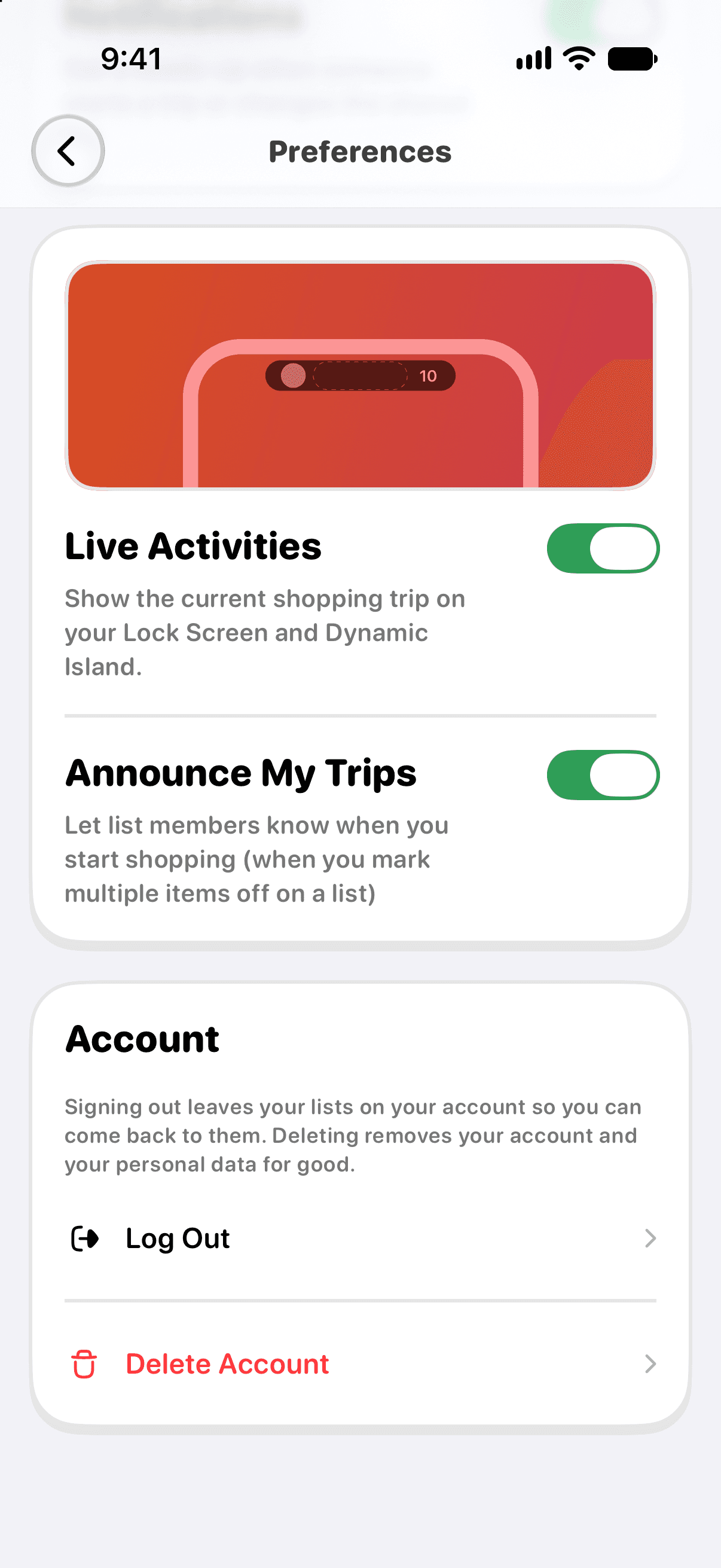
Open Settings → Preferences → Delete Account and confirm. This erases your account and its data from Pepperjack's servers, revokes the Sign in with Apple grant, and returns the app on that device to how it looked on a fresh install.
Deleting the app alone does not delete your account — use Delete Account first if that's what you want.
What about lookups and feedback?
- Aisle and price lookups are processed transiently and aren't stored with your lists, so there's nothing to delete.
- If you've emailed support or sent feedback with your email attached and want that history removed, write to [email protected] and we'll delete the thread.
Subscriptions
Deleting the app does not cancel a Pepperjack Plus subscription. App Store purchases are cancelled in iOS Settings → your name → Subscriptions. Web (Stripe) purchases made in the United States are cancelled through the Stripe billing portal linked from your purchase confirmation. See Managing your subscription.